Free SEO Checker: A Practical Guide to Improving Your Website
A free SEO checker can help you spot issues that may make it harder for search engines and visitors to use your website. Whether you run a small business site, an online shop or a blog, checking the basics is a useful first step towards improving your visibility in search results.
Free tools vary in what they inspect. Some review a single page, while others provide a broader site audit. Their findings can point you towards problems, but they should be treated as guidance rather than a complete SEO strategy.
What is a free SEO checker?
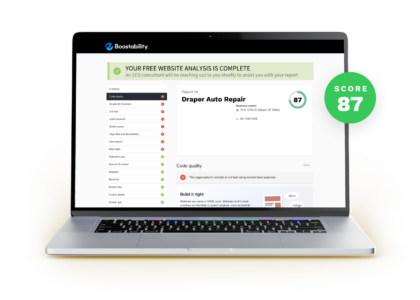
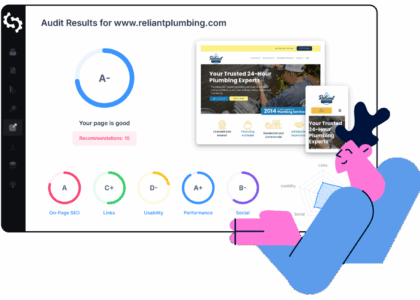
A free SEO checker is an online tool that analyses a webpage or website for common search engine optimisation issues. Depending on the tool, it may check page titles, meta descriptions, headings, links, images, mobile usability, loading performance and whether search engines can access a page.
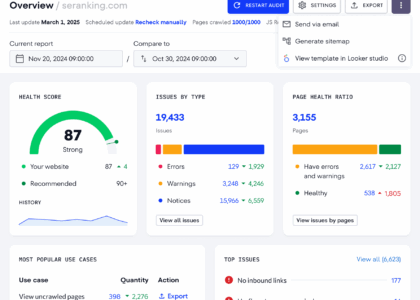
Some checkers produce a simple score. Others list individual findings and explain how to address them. A score can be useful for tracking changes, but it does not guarantee that a page will rank well. Search rankings depend on many factors, including the quality and relevance of the content, competition, links and the searcher’s location and intent.
What can a free SEO checker help you find?
- Missing or unclear page titles: Titles help describe a page to search engines and people browsing search results.
- Meta description issues: A missing or poorly written description may be an opportunity to explain what a page offers. Search engines may choose to show different text in results.
- Heading structure: Headings can make content easier to scan and help clarify how a page is organised.
- Broken links: Links that lead to unavailable pages can frustrate visitors and make a site harder to maintain.
- Image problems: Large image files can affect loading times, while missing alternative text can make images less accessible.
- Mobile and performance concerns: Some tools highlight issues that could make a page slower or more difficult to use on a phone.
- Indexing and crawlability: A checker may identify settings or technical issues that could prevent search engines from finding or understanding a page.
- Basic on-page signals: It may check whether the page’s content and metadata reflect its subject.
How to use a free SEO checker
- Choose an important page. Start with a key service, product or landing page rather than trying to fix the whole site at once.
- Run the check. Enter the page address and review the results. If the tool checks only one URL, repeat the process for other priority pages.
- Look for specific evidence. Check what the tool has actually found before making changes. Automated reports can sometimes misinterpret a page or flag issues that do not need attention.
- Prioritise the important fixes. Address problems that affect access, usability or the accuracy of the page first. Avoid changing content simply to improve a tool’s score.
- Make and test changes. Check the page on desktop and mobile, and make sure links, forms and other features still work.
- Review the results over time. Search visibility can take time to change. Use analytics and search performance data alongside the checker to understand whether your updates are helping.
How to assess a tool’s recommendations
Not every recommendation deserves equal attention. A warning about an inaccessible page or a broken link may be more important than a suggestion to add another instance of a keyword. Consider each finding in context:
- Does it affect a page that matters to your business or audience?
- Can you confirm the issue by checking the page yourself?
- Would fixing it make the page clearer, faster or easier to use?
- Does the recommendation follow current search engine guidance?
Be cautious of tools that promise guaranteed rankings, demand unnecessary access to your website or encourage keyword stuffing. Good SEO is about making useful, relevant pages easy to discover and use—not chasing a perfect audit score.
Free SEO checker vs. a full SEO audit
A free checker is useful for a quick review, but it may have limits. It might analyse only a small number of pages, provide little historical data or omit detailed technical checks. A full SEO audit can examine a wider range of factors, including site structure, duplicate content, redirects, indexing, internal links and performance across many pages.
For a small website, a free checker combined with regular manual reviews may be enough to identify straightforward improvements. Larger or more complex websites may benefit from specialist tools or professional support.
Make the most of a free SEO checker
Use a free SEO checker as a starting point, not as a substitute for understanding your audience. Begin with pages that support your main goals, confirm the findings and focus on changes that improve the experience for real visitors. Clear content, sound site structure and technically accessible pages provide a stronger foundation than any single score.
9 Essential Tips for Using Free SEO Checkers Effectively
- Check page titles and meta descriptions.
- Review broken links and redirects.
- Test mobile-friendliness and page speed.
- Check headings and image alt text.
- Review keyword use without overstuffing.
- Compare results from more than one checker.
- Treat free-tool scores as guidance, not guarantees.
- Recheck pages after making changes.
- Avoid entering sensitive data into unknown tools.
Check page titles and meta descriptions.
Check your page titles and meta descriptions to make sure they accurately describe each page and give people a clear reason to visit. Titles should be concise and distinctive, while descriptions should summarise the page in natural, helpful language. A free SEO checker can flag missing or duplicated metadata, but review its suggestions yourself—search engines may rewrite descriptions, and adding keywords unnaturally can make them less useful.
Review broken links and redirects.
Review broken links and redirects to make sure visitors and search engines can reach the pages they need. Broken links lead to dead ends, while unnecessary or outdated redirects can slow navigation and make your site harder to maintain. Use a free SEO checker to identify these issues, then update links to the correct destination, restore missing pages where appropriate, or add a relevant redirect when a page has permanently moved. Recheck the affected URLs after making changes to confirm they work as intended.
Test mobile-friendliness and page speed.
Test your website’s mobile-friendliness and page speed with a free SEO checker to see how easily visitors can use it on phones and how quickly its pages load. Check that text is readable, buttons are easy to tap and content fits smaller screens without awkward scrolling. If the checker flags slow pages, consider compressing large images, reducing unnecessary scripts and reviewing your hosting. A smooth mobile experience can keep visitors engaged and supports a stronger overall SEO foundation.
Check headings and image alt text.
Check your page headings and image alt text to make sure they clearly describe the content. Use a logical heading structure to help visitors scan the page, and write concise, relevant alt text for images that convey useful information. A free SEO checker can flag missing headings or alt text, but review its suggestions yourself: avoid forcing in keywords, and leave decorative images with empty alt text where appropriate.
Review keyword use without overstuffing.
Use a free SEO checker to review whether your target keywords appear naturally in important places, such as the page title, headings and main copy. The wording should fit the topic and help readers understand the page, rather than being repeated just to influence rankings. If a phrase feels awkward or appears too often, rewrite it for clarity and use relevant variations where they make sense.
Compare results from more than one checker.
Compare results from more than one free SEO checker to get a broader view of your website’s strengths and potential issues. Each tool uses different tests and may prioritise different recommendations, so a warning from one checker is not necessarily a problem—and a clean report does not guarantee that everything is working perfectly. Look for findings that appear across several tools, verify them on your site and focus first on fixes that improve accessibility, usability and the quality of your content.
Treat free-tool scores as guidance, not guarantees.
Treat scores from a free SEO checker as guidance, not guarantees. A score can highlight potential issues, but it cannot predict rankings or reflect every factor that affects your site’s performance in search results. Review the tool’s recommendations in context, confirm that the issues apply to your pages, and prioritise changes that genuinely improve your content, accessibility and visitor experience.
Recheck pages after making changes.
Recheck pages after making changes to confirm that updates have fixed the issues without causing new ones. Run your free SEO checker again, then review the page on desktop and mobile to make sure its content, links and layout still work as intended. Keep in mind that search visibility may take time to reflect your improvements, so check performance regularly rather than relying on one immediate score.
Avoid entering sensitive data into unknown tools.
When using a free SEO checker, avoid entering sensitive information into tools you do not know or trust. Some services may store submitted data, so never include passwords, customer details, private business information or unpublished content in a URL or form. Check the provider’s reputation and privacy policy first, and use a trusted tool for any analysis involving confidential material.