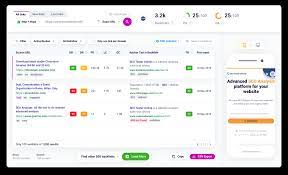
Backlink Checker: What It Is and How to Use One
A backlink checker is an SEO tool that shows which websites link to a particular website or page. These links, known as backlinks, can help search engines discover pages and understand how they relate to one another. Reviewing them can help you assess your site’s link profile, find opportunities to earn relevant links and spot changes that may need attention.
What Does a Backlink Checker Show?
The information available varies between tools, but a backlink checker may report:
- Backlinks: Links pointing to a website or individual page.
- Referring domains: The distinct websites providing those links. A site may have many backlinks from the same domain.
- Linking pages: The specific pages where links appear.
- Anchor text: The visible words used for a link.
- Link attributes: Whether a link is marked as follow, nofollow, sponsored or user-generated content.
- New and lost links: Links recently discovered or no longer detected.
- Page and domain metrics: The tool’s own estimates of a linking page’s or website’s strength.
These metrics are useful for comparison and investigation, but they are not Google rankings or guarantees of SEO value. Each provider uses its own data and calculations, so scores from different tools may not be directly comparable.
Why Use a Backlink Checker?
Understand your link profile
A checker can help you see which sites link to your content and which pages attract the most links. This can reveal what audiences find useful, whether links are concentrated on a few pages, and how your profile changes over time.
Research competitors
Reviewing competitors’ backlinks can uncover publications, organisations and industry websites that cover topics relevant to your business. Treat these links as research leads rather than a list to copy. A link opportunity is most valuable when it makes sense for your audience and can be earned naturally.
Find broken or lost links
If a page that once received links has moved or been removed, those links may lead to an error page. A backlink checker can help identify affected URLs. You can then consider restoring the page, redirecting it to a genuinely relevant replacement or contacting the linking website to suggest an updated destination.
Monitor changes
Regular checks can help you notice new links, lost links or unusual changes in your backlink profile. A sudden change is a prompt to investigate, not proof that something is wrong. Links may disappear because a page was updated, a site changed its structure or the checker’s index changed.
How to Use a Backlink Checker
- Enter a domain or page. Choose whether to examine your whole website, a subdomain or a specific URL, depending on the question you are trying to answer.
- Review referring domains. Look at the range of websites linking to you, not just the total number of backlinks.
- Inspect the linking pages. Check the surrounding content and whether the link is relevant and useful to readers.
- Check anchor text and attributes. Look for natural, descriptive wording and note how links are labelled.
- Compare over time. Use the same tool and settings where possible, as different services may crawl and report links differently.
- Decide on an appropriate action. You might investigate a lost link, improve a page that attracts links or contact a site about a broken destination.
What Makes a Backlink Worth Investigating?
A useful backlink is generally relevant to the page and its audience, appears in a meaningful context and is placed because it helps readers. Consider the website’s subject matter, the quality of the linking page and whether a person could reasonably benefit from following the link.
Do not judge a link solely by a tool’s authority score. A smaller, specialist website may be highly relevant, while a link from a site with impressive-looking metrics may have little connection to your business. Quality, context and editorial intent matter more than a single number.
Are “Toxic Backlink” Scores Reliable?
Some tools label links as potentially harmful or assign them a risk score. These labels are automated estimates, not definitive judgements from search engines. Review the actual page and circumstances before taking action. A low-quality-looking link does not automatically mean your site will be penalised, and indiscriminately removing or disavowing links can create unnecessary work.
If you suspect a genuine link-related issue, investigate the relevant pages and follow current guidance in Google Search Central before using the disavow tool. For complex cases, consider getting advice from an experienced SEO professional.
Choosing a Backlink Checker
When comparing tools, consider how often their link indexes are updated, whether they can check individual pages as well as domains, and how clearly they explain their metrics. Useful features may include historical data, export options, competitor comparisons and alerts for new or lost links. A free checker can be a good starting point, while larger websites or regular research may benefit from a paid service.
Remember that no checker sees every backlink on the web. Search engines and third-party tools maintain different indexes, so their results will not match exactly. Use backlink data as one source of evidence alongside analytics, Search Console data and a review of the pages themselves.
In Summary
A backlink checker helps you explore the links pointing to your website, monitor changes and identify potential opportunities. The best results come from looking beyond totals and scores: assess relevance, context and usefulness, then take measured action. Used thoughtfully, backlink data can support a more informed and sustainable SEO strategy.
Eight Benefits of Using a Backlink Checker for Effective SEO Management
- Shows websites linking to your site
- Helps monitor new and lost backlinks
- Reveals your most-linked pages
- Supports competitor research
- Identifies broken link opportunities
- Highlights anchor text patterns
- Helps assess link relevance
- Informs your SEO strategy
Five Limitations of Backlink Checkers: Understanding Their Drawbacks
- Backlink data may be incomplete or out of date.
- Different tools can report conflicting results.
- SEO metrics are estimates, not ranking guarantees.
- Spam links can be mislabelled as harmful.
- Advanced features often require a paid plan.
Shows websites linking to your site
A backlink checker shows which websites are linking to your site, giving you a clearer picture of who is referencing your content. You can review the linking pages, see which parts of your site attract attention and identify relevant websites that may be worth building relationships with.
Helps monitor new and lost backlinks
A backlink checker helps you keep track of links gained or lost over time. Spotting new backlinks can show which content is attracting attention, while identifying lost ones may reveal a removed link, a changed page or a broken destination. This makes it easier to investigate changes promptly and understand how your backlink profile is developing.
Reveals your most-linked pages
A backlink checker reveals which pages on your website attract the most links, helping you understand what other sites find useful or worth referencing. These insights can guide your content strategy: identify topics that resonate, update popular resources and create related content that meets your audience’s needs. You can also use the data to spot pages with strong potential for further promotion.
Supports competitor research
A backlink checker supports competitor research by revealing which websites link to other businesses in your sector. Reviewing these links can help you discover relevant publications, industry resources and potential outreach opportunities. Rather than copying a competitor’s link profile, use the findings to identify useful topics and explore ways to create valuable content that earns links naturally.
Identifies broken link opportunities
A backlink checker can help identify broken link opportunities by showing pages on other websites that link to missing or outdated content. If you have a relevant resource that could replace the dead page, you can contact the site owner and suggest it as a useful alternative. This approach helps webmasters fix a poor visitor experience while giving your content a chance to earn a relevant backlink.
Highlights anchor text patterns
A backlink checker highlights the anchor text patterns used by websites linking to you, showing the words and phrases that point to your pages. This makes it easier to see whether links use natural, descriptive language, reveal recurring brand mentions or rely too heavily on the same exact-match keywords. Reviewing these patterns can help you understand how other sites refer to your content and identify anything that may warrant closer investigation.
Helps assess link relevance
A backlink checker helps you assess link relevance by showing which websites and pages link to your content, along with the surrounding context and anchor text. This makes it easier to identify links that genuinely relate to your industry and offer value to readers, as well as spot links that seem unrelated. Understanding relevance helps you evaluate your backlink profile more meaningfully than simply counting links.
Informs your SEO strategy
A backlink checker can help inform your SEO strategy by showing which pages attract links, what types of websites link to your content and how your backlink profile changes over time. These insights can guide decisions about the content to create, pages to improve and relevant link-building opportunities to explore. Use the data alongside other SEO measures, as backlink metrics are estimates rather than a complete picture of search performance.
Backlink data may be incomplete or out of date.
One drawback of a backlink checker is that its data may be incomplete or out of date. Tools rely on their own crawlers and indexes, which may not discover every link or update as quickly as changes happen online. As a result, recently gained or removed backlinks might not appear straight away, and different checkers can show different results. Use the figures as a helpful guide rather than a complete, real-time record of your backlink profile.
Different tools can report conflicting results.
Different backlink checkers can report conflicting results because each tool uses its own web index, crawling schedule and criteria for identifying links. One may find links that another has not yet discovered, while their metrics and classifications may also differ. This means backlink data is best treated as an estimate: compare results using the same tool over time, and review important links directly before making decisions.
SEO metrics are estimates, not ranking guarantees.
Backlink checkers often provide metrics such as domain authority or link strength, but these are estimates created by the tool, not official search-engine scores. They can help compare websites, but they do not guarantee higher rankings or show exactly how search engines assess a link. Use them as a guide alongside relevance, link quality and the usefulness of the linking page.
Spam links can be mislabelled as harmful.
Backlink checkers may mislabel spam links as harmful because their risk scores are based on automated signals, not a definitive assessment by a search engine. A suspicious-looking link does not necessarily damage your website, so review its source and context before taking action. Disavowing links without careful investigation could waste time or lead you to reject links that are harmless.
Advanced features often require a paid plan.
One drawback of backlink checkers is that their most useful features often sit behind a paid plan. Free versions may limit the number of searches, backlinks or reports you can view, making it harder to analyse a website thoroughly or track changes over time. This can be frustrating for small businesses and individuals working with limited budgets, who may need to compare several tools before finding one that offers enough data at an affordable price.