
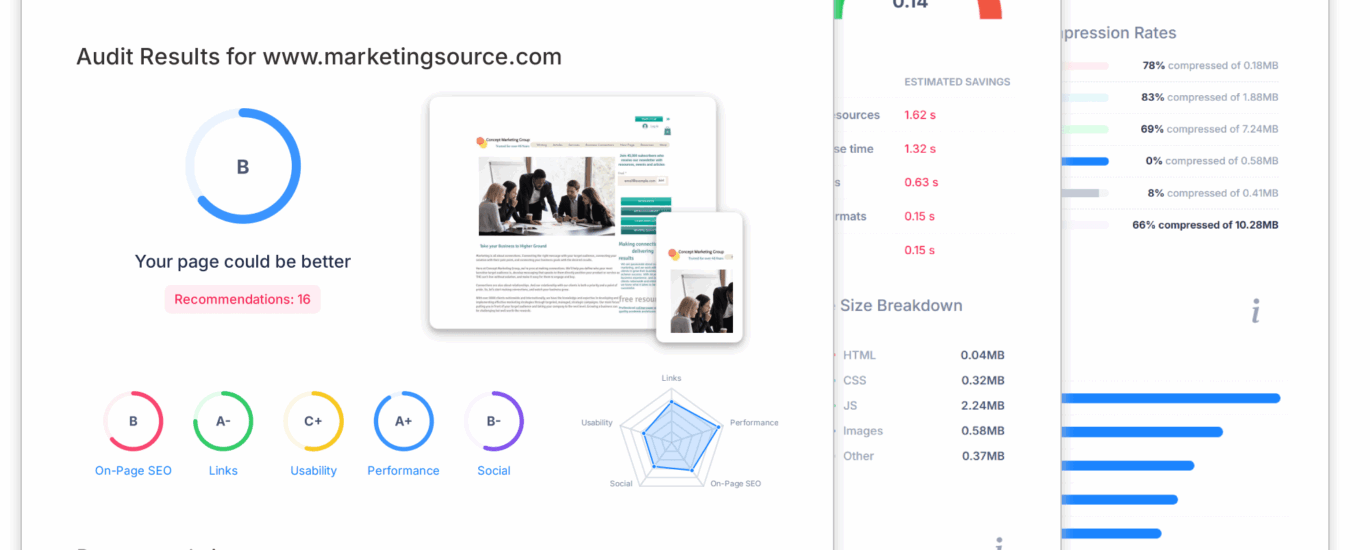
Free SEO Website Audit: Find Out What’s Holding Your Site Back
A website can look polished and still struggle to appear in search results. Slow pages, missing titles, broken links and unclear content can all make it harder for search engines and visitors to understand what a site offers. A free SEO website audit is a useful first step towards spotting these issues and deciding what to tackle next.
Whether you run a small business, manage a blog or look after an online shop, an audit can give you a clearer picture of your website’s search engine optimisation (SEO). It won’t replace a detailed technical review, but it can highlight straightforward opportunities for improvement.
What is a free SEO website audit?
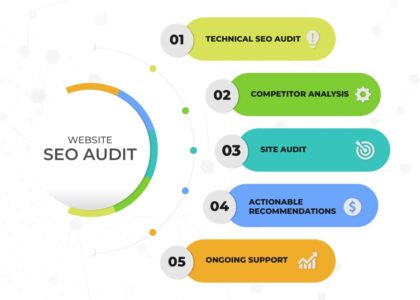
A free SEO website audit is an assessment of selected factors that may affect your site’s visibility in search engines and its experience for visitors. Depending on the tool or service, it may check elements such as:
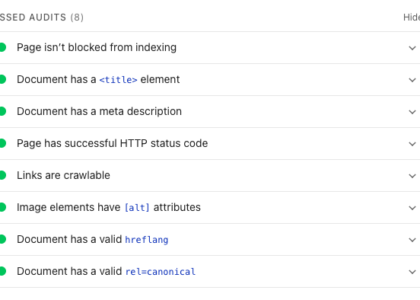
- Page titles and meta descriptions
- Headings and on-page content
- Broken links and missing pages
- Mobile usability
- Page speed and performance signals
- Image sizes and alternative text
- HTTPS security
- Basic crawlability and indexation issues
The results are usually presented as a list of errors, warnings and recommendations. These can help you understand where to focus, although not every recommendation will be equally important for your website.
Why run an SEO audit?
Search engine performance depends on more than keywords. Search engines need to discover and interpret your pages, while visitors need to find the information they are looking for. An audit can help uncover problems affecting either side of that experience.
For example, a page with a vague title may not clearly communicate its subject. A broken link can frustrate visitors and interrupt their journey through your site. A page that is difficult to use on a mobile device may also discourage potential customers from getting in touch or making a purchase.
Audits are also useful when launching a new website, reviewing an established site or investigating a drop in organic traffic. They provide a starting point for making informed improvements rather than relying on guesswork.
What a free audit can—and cannot—tell you
A free audit can quickly identify common technical and on-page issues. It may also offer a useful snapshot of page performance. This makes it a convenient way to get familiar with your site’s SEO and create an initial to-do list.
However, free tools often assess only a limited number of pages or use automated checks. They may not understand your business goals, the purpose of each page or the needs of your audience. Some issues require specialist investigation, and a report may flag recommendations that are not relevant to your situation.
An audit is not a guarantee of better rankings. Search positions are influenced by many factors, including the quality and relevance of your content, competition, links, website performance and changes to search engine systems. Treat an audit as guidance, then review its findings in context.
How to carry out a basic website audit
Check that your important pages can be found
Make sure key pages—such as your services, product categories and contact page—are accessible through your website’s navigation and internal links. Check for pages that return errors or appear to be missing from search results. Search engine tools can provide additional information about how your pages are discovered and indexed.
Review page titles and descriptions
Each important page should have a clear, relevant title that describes its content. Meta descriptions should summarise the page accurately and encourage a useful click, rather than simply repeating a list of keywords. Avoid using identical titles across multiple pages.
Make your content easy to understand
Use a clear heading structure and organise information around what visitors need to know. Pages should answer real questions and explain your products, services or expertise in a helpful way. Avoid adding keywords where they sound unnatural; clarity and relevance matter more than repetition.
Test the mobile experience
Visit your site on a mobile phone and check that text is readable, buttons are easy to tap and important information is not hidden. A responsive design should adapt to different screen sizes without requiring visitors to zoom or scroll sideways.
Look for speed and usability issues
Large images, unnecessary scripts and poorly configured hosting can affect how quickly a page loads. Performance testing tools can point towards possible improvements, but results may vary depending on the device and network used. Focus on changes that make the site genuinely faster and easier to use.
Fix problems in order of importance
It can be tempting to address every item in an audit report at once. Instead, start with issues that affect important pages or prevent visitors and search engines from using your site. Broken pages, missing content and serious mobile usability problems are often more pressing than minor technical warnings.
Choosing a free SEO audit tool
Before entering your website address, consider what the tool checks and how clearly it explains its results. A useful audit should provide understandable recommendations, not just a score. Check whether it scans the whole site or only one page, and whether you need to provide an email address or other information.
It is also sensible to use reputable services and avoid granting unnecessary access to your website. A report can be a helpful guide, but it should not be treated as a complete measure of SEO quality.
Turn audit findings into a practical plan
Once you have your results, group recommendations into three categories:
- Urgent: problems preventing important pages from loading, being accessed or being understood.
- Useful improvements: changes to page titles, internal links, mobile usability or content clarity.
- Further investigation: complex technical issues or recommendations that need expert review.
Make one change at a time where possible, then check that the site still works as intended. Keep a record of what you have changed and monitor relevant measures, such as organic traffic, enquiries and engagement. Results may take time, so look for trends rather than expecting an immediate change in rankings.
Make your website easier to find and use
A free SEO website audit can reveal practical ways to improve your site, from fixing broken links to making pages clearer on mobile. Its greatest value comes from using the findings thoughtfully: prioritise issues that matter to visitors, improve your content and review your progress over time.
For more complex websites or persistent SEO challenges, a deeper review may be worthwhile. A professional assessment can take your goals, audience and site structure into account, helping turn a list of technical findings into a focused improvement plan.
6 Tips for a Free SEO Website Audit
- Check page titles and meta descriptions for clarity and length.
- Review broken links and missing pages.
- Test mobile usability and page speed.
- Check that key pages are indexed by search engines.
- Look for duplicate content and missing headings.
- Treat free audit scores as guidance, not a full diagnosis.
Check page titles and meta descriptions for clarity and length.
Check that each important page has a clear, unique title and a concise meta description that accurately summarises its content. Titles and descriptions should be easy to understand and suitable in length, so they are less likely to be cut off in search results. Avoid keyword stuffing or vague wording: make it clear what the page offers and give searchers a useful reason to visit.
Review broken links and missing pages.
Review broken links and missing pages
Broken links and missing pages can frustrate visitors and make it harder for search engines to explore your website. As part of a free SEO website audit, check for links that lead to error pages and confirm that important pages load correctly. Update links when a page has moved, or redirect an old URL to the most relevant replacement. If a page has been removed and no suitable alternative exists, make sure visitors see a helpful error page with a clear route back to useful content.
Test mobile usability and page speed.
Test your website on a mobile phone to make sure text is easy to read, buttons are simple to tap and pages work well on smaller screens. Check page speed too, as slow-loading pages can frustrate visitors and lead them to leave. A free SEO audit can highlight performance issues, such as oversized images, and suggest practical ways to make your site faster and easier to use.
Check that key pages are indexed by search engines.
Check that your most important pages—such as your homepage, service pages and key product pages—are indexed by search engines, so they can appear in relevant search results. You can use Google Search Console’s URL Inspection tool to see whether a page is indexed and identify any reported issues. If a key page is missing, check that it isn’t blocked by your robots.txt file or marked with a “noindex” directive, and make sure it can be reached through links on your website.
Look for duplicate content and missing headings.
Check your audit for duplicate content and missing headings. Pages with very similar or repeated text can make it harder for search engines to identify which version is most useful, so make important pages distinct and valuable. Also make sure each page has a clear main heading and well-organised subheadings: they help visitors scan the content and make its structure easier to understand.
Treat free audit scores as guidance, not a full diagnosis.
Treat free SEO audit scores as guidance, not a full diagnosis. Automated tools can quickly flag common issues, but they may only check a sample of your pages and cannot always account for your audience, business goals or the context of each recommendation. Review the findings carefully, prioritise problems that affect visitors or important pages, and seek expert advice if you uncover complex technical issues. A score is a useful starting point—not a guarantee of search performance.