
On-Page SEO Checker: How to Improve Your Website Pages
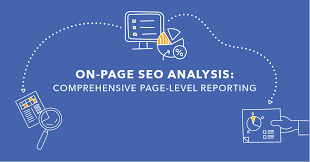
An on-page SEO checker helps you assess how well a webpage is optimised for search engines and visitors. It reviews elements such as page titles, headings, content, images and internal links, then highlights areas that may need attention.
Whether you manage a small business website or a large content library, an on-page SEO checker can make optimisation more organised. It helps you spot common issues and prioritise practical improvements—without replacing careful editing or a sound SEO strategy.
What is an on-page SEO checker?
An on-page SEO checker is a tool that analyses the content and HTML elements of a webpage. Depending on the tool, you may be able to enter a URL, provide a target keyword, or connect your website for a broader review.
The checker may assess whether your page:
- Has a clear, relevant title tag and meta description
- Uses a logical heading structure
- Covers the subject in useful, original content
- Includes relevant internal and external links
- Uses descriptive image alt text
- Has a clear URL and is accessible to search engines
- Performs well on mobile devices and loads efficiently
Different tools check different factors, so it is worth reviewing what each checker actually measures before relying on its recommendations.
Why use an on-page SEO checker?
Search visibility depends on many factors, and no single tool can guarantee a ranking improvement. However, a checker can help you find overlooked issues and create a more consistent optimisation process.
Find basic issues quickly
A checker can flag missing titles, duplicate descriptions, broken links or images without alt text. These are straightforward details to miss, particularly on websites with many pages.
Improve relevance and readability
Some tools compare a page with a target search term and suggest related topics or phrases. Treat these suggestions as prompts for research, not instructions to repeat keywords. Content should answer the reader’s question naturally and accurately.
Prioritise updates
A useful report separates more significant problems from minor recommendations. This makes it easier to focus on changes that improve clarity, usability and search engine understanding, rather than trying to achieve a perfect score.
What should an on-page SEO checker review?
Title tag
The title tag helps describe a page to search engines and may appear as the clickable heading in search results. It should be distinctive, accurate and concise enough to display clearly. Include the main topic where it fits naturally, but avoid awkward keyword repetition.
Meta description
A meta description summarises the page. It is not a guaranteed ranking factor, but a useful description can help people decide whether to visit. Write one that reflects the page accurately and gives readers a clear reason to click.
Headings and structure
Headings make content easier to scan and help explain how its sections relate to one another. Use one clear main heading, followed by meaningful subheadings. Structure headings for readers first; do not add keywords simply to satisfy a tool.
Content quality and search intent
Good on-page SEO starts with understanding what a visitor wants to achieve. A checker may identify topics or terms that are absent, but it cannot reliably judge every aspect of accuracy, originality or usefulness. Review the page yourself to ensure it answers the intended question clearly and completely.
URLs and internal links
Simple, descriptive URLs are easier to understand and share. Internal links can guide visitors to related information and help search engines discover other pages on your site. Use link text that describes the destination, rather than relying on vague phrases such as “click here”.
Images and accessibility
Relevant images can support your content, but large files may slow a page. Use suitable image formats and dimensions, and add alternative text where it helps explain an image to people who cannot see it. Decorative images generally do not need descriptive alt text.
Mobile experience and page performance
A page should be easy to use on a range of screen sizes. Check that text is readable, links and buttons are easy to tap, and important information is not hidden. Page speed tools can identify performance issues, although results may vary depending on the device and network used for testing.
How to use an on-page SEO checker
- Choose a page and goal. Decide what the page should help visitors do or understand.
- Research the topic. Identify the questions your audience is likely to ask and the language they use.
- Run the check. Enter the page URL or content, and add a target topic if the tool requests one.
- Review the findings. Check each recommendation against the page and its purpose. Confirm that suggested changes are relevant.
- Make useful improvements. Fix technical or editorial issues, improve clarity and add relevant links where they genuinely help.
- Check the result. Preview the page on mobile and desktop, test links, and review it for accuracy and readability.
- Monitor performance. Use analytics and search performance data to understand how the page performs over time.
Common mistakes to avoid
- Writing for a score: A high tool score does not guarantee that a page is useful or will rank well.
- Keyword stuffing: Repeating a phrase unnaturally can make content harder to read.
- Making every recommendation a priority: Some suggestions may be generic or irrelevant to your page.
- Ignoring the reader: Search optimisation should support a helpful experience, not get in its way.
- Expecting instant results: Search performance can take time to change and depends on factors beyond a single page.
Choosing an on-page SEO checker
Look for a tool that presents clear, actionable findings and explains why each recommendation matters. Consider whether it can check the pages and features you care about, whether it supports your preferred workflow, and whether its reports are easy to understand.
Some checkers focus on individual pages, while others include site-wide audits, keyword research or technical checks. Choose one that fits your needs, and compare its findings with trusted guidance rather than treating its score as a definitive measure of quality.
Frequently asked questions
Can an on-page SEO checker improve rankings?
A checker can help you identify and fix issues, but it cannot guarantee higher rankings. Search engines consider many signals, and results also depend on the quality of your content, your website and the wider search landscape.
How often should I check my pages?
Review important pages when you publish or make significant changes. You may also want to revisit them periodically, particularly if the information could become outdated or their performance changes.
Is an on-page SEO checker enough for SEO?
No. It is one part of an SEO process. You may also need to consider technical SEO, site structure, backlinks, local search requirements and how well your content meets visitors’ needs.
Make your pages more useful
An on-page SEO checker is most valuable when it helps you make informed improvements. Use it to spot practical issues, then apply your own judgement: create accurate, useful content, make pages easy to navigate and ensure they work well for the people who visit them.
On-Page SEO Checker: Frequently Asked Questions
- What is an on-page SEO checker?
- How does an on-page SEO checker work?
- Which on-page SEO factors should a checker analyse?
- Can an on-page SEO checker improve my Google rankings?
- How often should I check my website pages for on-page SEO issues?
What is an on-page SEO checker?
An on-page SEO checker is a tool that analyses a webpage for factors that can affect its visibility in search results and its experience for visitors. It may review elements such as the title tag, meta description, headings, content, links, images and mobile usability, then suggest improvements. Use its recommendations as a guide rather than a guarantee of better rankings: the most effective changes are those that make the page clearer, more useful and easier to navigate.
How does an on-page SEO checker work?
An on-page SEO checker analyses a webpage’s content and technical elements to identify ways to improve its search visibility and usability. Depending on the tool, it may review the title tag, meta description, headings, keyword relevance, internal links, images, mobile usability and page speed. It then presents recommendations or flags potential issues. Use these findings as a guide rather than a guarantee of better rankings, and prioritise changes that make the page clearer and more helpful for visitors.
Which on-page SEO factors should a checker analyse?
An on-page SEO checker should analyse key elements that affect how clearly a page communicates its topic and how easy it is to use. These include the title tag, meta description, URL, heading structure, content relevance and readability, keyword use, internal and external links, image optimisation and descriptive alt text. It should also check mobile usability, page speed and whether search engines can access and index the page. Use its recommendations as guidance rather than a score to chase: the priority is to create accurate, useful content that meets visitors’ needs.
Can an on-page SEO checker improve my Google rankings?
An on-page SEO checker can help you identify issues that may affect how Google understands and displays your pages, such as missing title tags, unclear headings or broken links. Fixing these problems can support better SEO, but no checker can guarantee higher rankings. Google considers many factors, including the usefulness of your content, your website’s technical health and competition for a search term. Use the checker’s suggestions as a guide, and prioritise changes that genuinely improve the page for visitors.
How often should I check my website pages for on-page SEO issues?
Check important website pages whenever you publish them or make significant changes, and review them periodically—perhaps every few months. Pages with frequently changing information may need more regular checks, while a sudden drop in search performance can be a reason to investigate sooner. There’s no need to run checks constantly; focus on keeping content accurate, useful and easy to navigate.