How to Check the SEO of a Website
Checking the SEO of a website helps you understand how easily search engines can find, understand and rank its pages. A thorough review can uncover technical problems, improve the quality of your content and make it easier for visitors to find what they need.
An SEO check is not a one-off task. Search engines, websites and customer expectations change over time, so regular reviews can help you spot issues before they affect your visibility. Here’s how to assess the key areas of your website.
Check whether your pages are indexed
Before reviewing rankings, check that search engines can discover and index your important pages. Use Google Search Console to see which pages have been indexed and whether any are affected by errors. The URL Inspection tool can show how Google views an individual page and whether it can be crawled.
You can also search Google for site:yourdomain.com to get a quick, approximate view of pages from your domain in its index. This is not a complete audit, but it may help reveal obvious gaps, such as important pages that do not appear.
Review your robots.txt file and XML sitemap, too. Make sure the sitemap lists the pages you want search engines to find, and check that important content is not accidentally blocked from crawling.
Review your technical SEO
Technical SEO covers the behind-the-scenes features that help search engines access and interpret your website. Start by checking for:
- HTTPS: Your website should use a secure connection, with HTTP pages redirecting to their HTTPS equivalents.
- Broken links: Find links that lead to missing pages and update them or redirect them where appropriate.
- Redirects: Check for unnecessary redirect chains and make sure permanent redirects point to the most relevant live page.
- Duplicate URLs: Make sure different versions of the same page are handled consistently, using redirects or canonical tags where suitable.
- Mobile usability: Confirm that pages work well on mobile devices, with readable text, usable buttons and no content cut off on smaller screens.
- Page speed: Test key pages with tools such as PageSpeed Insights. Large images, unused code and slow servers can all affect loading performance.
Do not focus on a single technical score in isolation. Use test results to identify practical problems that affect access, usability or the experience of visitors.
Assess your on-page SEO
On-page SEO helps search engines and visitors understand what each page is about. Review the most important pages and check that each has:
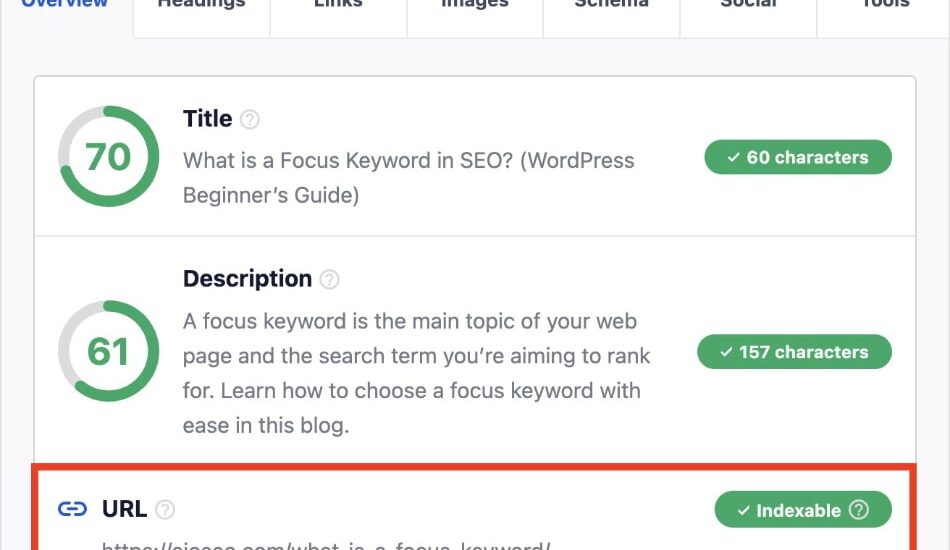
- A clear, unique title tag that accurately describes the page.
- A useful meta description that encourages relevant searchers to visit.
- One clear main heading, followed by logically organised subheadings.
- A descriptive URL that is easy to read.
- Relevant internal links to related pages on your website.
- Images with suitable file sizes and descriptive alternative text where the images convey information.
Use search terms naturally. Repeating a keyword excessively can make content difficult to read and does not guarantee better rankings. Each page should focus on a clear topic and address the needs of its intended audience.
Check the quality and relevance of your content
Useful content is central to effective SEO. Ask whether each page provides accurate, original information and answers the questions a visitor is likely to have. Look for pages that are out of date, too similar to other pages, difficult to understand or missing important details.
Where several pages cover nearly the same topic, consider whether they should be combined or given clearer purposes. Avoid removing content simply because it receives little traffic; first check whether it serves a business purpose, supports other pages or could be improved.
Content should be written for people first. Clear explanations, helpful examples and well-organised information are more valuable than text created solely to include search phrases.
Review your internal and external links
Internal links help visitors navigate your website and help search engines discover related content. Check that your important pages receive links from relevant areas of the site, such as category pages, service pages or helpful articles. Use descriptive link text so visitors know what to expect when they click.
External links to reliable sources can help readers verify information or explore a subject further. Also review links pointing to your website. Google Search Console provides information about links it has detected, while third-party SEO tools can offer additional estimates. Treat these reports as indicators rather than a complete account of every link.
Measure performance in search
Google Search Console can show the queries that bring people to your website, along with impressions, clicks and average positions. Use this information to identify pages that are appearing in search results but receiving few clicks, or pages whose visibility has changed over time.
Analytics tools can help you understand what visitors do after arriving on your website. Look at relevant outcomes, such as enquiries, purchases or newsletter sign-ups, rather than relying on traffic numbers alone. A page that attracts fewer visitors may still be valuable if it brings in the right audience.
Use SEO tools as part of a wider review
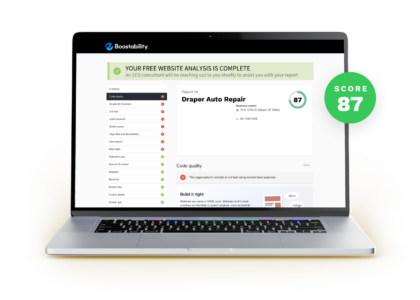
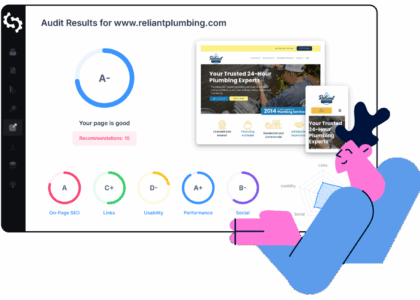
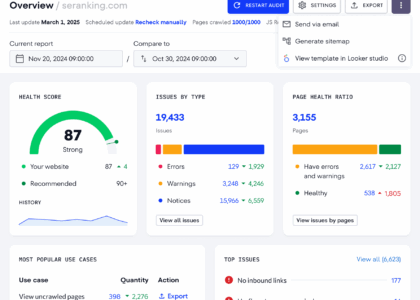
Tools such as Google Search Console, Google Analytics, PageSpeed Insights and website-crawling software can make an SEO review more efficient. Crawlers can help find broken links, missing titles, redirect issues and pages that are difficult to reach.
Automated tools are useful for finding potential problems, but their recommendations need context. A warning does not always mean something is harming your website, and a clean report does not guarantee good rankings. Check the issue yourself and prioritise changes based on their likely effect on visitors and your business.
Prioritise the findings
An SEO audit can produce a long list of recommendations. Start with problems that prevent important pages from being accessed or indexed, then address issues affecting usability, page quality and relevance. After that, work through improvements to content, internal linking and search snippets.
Keep a record of what you change and when. Reviewing performance over time makes it easier to understand which improvements are helping and where further work may be needed.
Make SEO checks part of your routine
To check the SEO of a website effectively, combine technical checks with a review of content, links and search performance. Begin with your most important pages, use reliable tools to uncover issues, and focus on changes that make the website more useful for visitors. Regular, thoughtful reviews can help your website remain accessible, relevant and competitive in search.
8 Key Benefits of Conducting an SEO Audit for Your Website
- Improves search visibility
- Finds technical issues
- Highlights content gaps
- Checks mobile usability
- Identifies broken links
- Tracks organic performance
- Supports better user experience
- Helps attract relevant visitors
Challenges of Conducting SEO Audits: Time, Tools, and Technical Hurdles
- SEO checks can be time-consuming.
- Tools may give misleading alerts.
- Results can change frequently.
- Audits may require technical skills.
- Fixes can take time to show results.
Improves search visibility
Checking your website’s SEO can improve its visibility in search results by revealing issues that make it harder for search engines to find, understand or rank your pages. By addressing problems such as missing page titles, broken links or poorly organised content, you can help search engines match your pages with relevant searches and make it easier for potential customers to discover your website.
Finds technical issues
Checking your website’s SEO can uncover technical issues that make it harder for search engines to crawl, index or rank your pages. Problems such as broken links, slow loading times, incorrect redirects, duplicate pages or blocked content may also frustrate visitors. Identifying and fixing these issues helps keep your website accessible, reliable and easier to use.
Highlights content gaps
Checking your website’s SEO can highlight content gaps by showing which topics your audience is searching for that your pages do not yet cover. Reviewing search queries, competitor content and the performance of existing pages can reveal unanswered questions, missing details or subjects that deserve a dedicated page. Filling these gaps with useful, relevant content can improve the experience for visitors and help your website appear for a wider range of relevant searches.
Checks mobile usability
Checking your website’s SEO includes reviewing how well it works on mobile devices. You can spot issues such as text that is difficult to read, buttons that are hard to tap, slow-loading pages or content that does not fit smaller screens. Fixing these problems makes your site easier to use for mobile visitors and can support better search visibility.
Identifies broken links
Checking your website’s SEO can uncover broken links that lead visitors to missing or unavailable pages. These dead ends can be frustrating for users and make it harder for search engines to crawl your site. Finding and fixing them helps keep navigation smooth, supports a better user experience and ensures important pages remain easy to reach.
Tracks organic performance
Checking your website’s SEO helps you track organic performance over time, including how often your pages appear in search results, which queries bring visitors to your site and how many people click through. By monitoring these trends, you can see what’s working, spot changes in visibility and make informed improvements to your content and website.
Supports better user experience
Checking the SEO of a website can support a better user experience by highlighting issues that make pages difficult to use, such as slow loading times, confusing navigation, broken links or poor mobile display. Fixing these problems helps visitors find information more easily and move through the site with less frustration, while also making it simpler for search engines to understand its content.
Helps attract relevant visitors
Checking your website’s SEO can help attract visitors who are actively searching for the products, services or information you offer. By improving your content, page titles and search visibility for relevant queries, you make it easier for the right people to discover your website—and more likely that their visit will lead to an enquiry, purchase or other useful action.
SEO checks can be time-consuming.
One drawback of checking a website’s SEO is that it can be time-consuming. A thorough review may involve testing technical performance, checking pages and links, assessing content and analysing search data. Larger websites can have hundreds or thousands of pages to examine, and fixing the issues found takes additional time. Regular checks are important, but it helps to prioritise the changes most likely to improve the experience for visitors and support your business goals.
Tools may give misleading alerts.
SEO tools can be useful, but their alerts may sometimes be misleading. A warning does not always mean there is a genuine problem: tools may flag minor issues, rely on incomplete data or apply generic recommendations that do not suit your website. Check each alert in context before making changes, and prioritise issues that affect search visibility or the experience of your visitors.
Results can change frequently.
SEO results can change frequently, making it difficult to judge whether a website’s performance is improving or declining. Search engine algorithm updates, new competitors, changes in search trends and website updates can all affect rankings and traffic. This means an SEO check is only a snapshot in time, so it’s important to monitor performance regularly and avoid making major decisions based on a single set of results.
Audits may require technical skills.
SEO audits can require technical skills, particularly when they involve checking crawlability, indexing, redirects, structured data or website performance. The findings may be difficult to interpret without experience, and making changes to code or server settings can create further issues if handled incorrectly. For complex websites, it may be worth seeking help from an SEO specialist or developer.
Fixes can take time to show results.
SEO fixes can take time to show results. Search engines need to recrawl and reassess your website, so improvements to content, page speed or technical issues may not lead to an immediate change in rankings or traffic. The timeframe varies depending on the issue and the level of competition, making it important to monitor performance over time and avoid judging a fix too soon.