Free Online Website SEO Audit: A Practical Guide
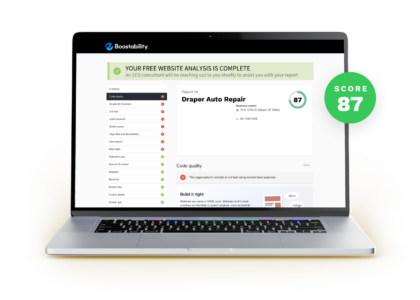
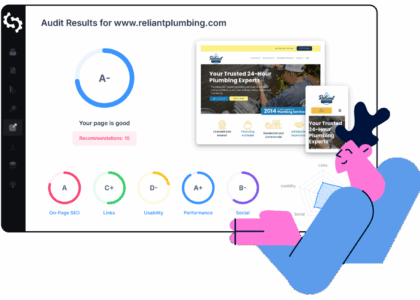
A free online website SEO audit can help you spot issues that may be affecting your site’s visibility in search engines. It typically checks areas such as page titles, mobile usability, loading speed, broken links and basic technical settings. While a free audit is a useful starting point, it is best treated as a snapshot rather than a complete diagnosis.
What Does an SEO Audit Check?
SEO audits vary from tool to tool, but most review several core areas:
- On-page SEO: Page titles, meta descriptions, headings, image alt text and the use of relevant keywords.
- Technical SEO: Crawlability, indexing, redirects, broken links, XML sitemaps and robots.txt settings.
- Site performance: Page loading speed and factors that can affect the experience on mobile devices.
- Mobile usability: Whether pages are easy to read and use on smaller screens.
- Content quality: Signs of thin, duplicated or outdated content, depending on the tool.
- Links: Internal links between your pages and, in some tools, information about external links.
Not every free tool checks all these areas, and automated results can sometimes be incomplete or misleading. Consider the findings as prompts for investigation, not a definitive list of problems.
How to Run a Free Online SEO Audit
- Choose a reputable tool. Look for clear explanations of its checks, sensible recommendations and transparent privacy information.
- Enter your website address. Some tools analyse a single page, while others crawl several pages. Check the audit’s scope before relying on its results.
- Review the findings. Separate urgent technical issues from recommendations that may have little effect on your particular site.
- Check important pages manually. Review key service, product and landing pages in a browser, including on a mobile device.
- Make changes gradually. Record what you change so you can compare performance afterwards and identify what helped.
Free Tools to Consider
A useful audit often combines several sources rather than relying on a single score. For example, Google Search Console can show indexing issues, search queries and page performance in Google Search. Google PageSpeed Insights provides performance information for individual URLs. A website crawler may help identify broken links, missing titles or redirect issues, although free versions often limit the number of pages they can check.
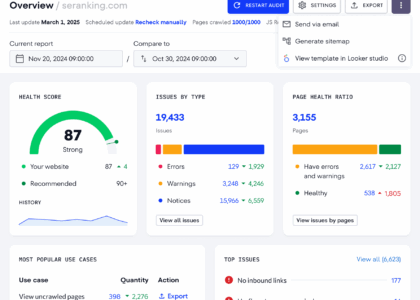
Use tools that suit your needs and verify important findings. A low performance score, for instance, does not automatically mean that a page is failing in search results. Likewise, a high audit score does not guarantee strong rankings or more visitors.
What to Fix First
It can be tempting to work through every recommendation, but prioritisation matters. Start with issues that prevent search engines or visitors from accessing important content:
- Pages that should appear in search results but are blocked or not indexed.
- Broken links, incorrect redirects or important pages returning errors.
- Missing or confusing page titles and headings on key pages.
- Pages that are difficult to use on mobile devices.
- Slow-loading pages, particularly where large images or unnecessary scripts are involved.
- Outdated or unhelpful content that no longer meets visitors’ needs.
Before changing technical settings, make sure you understand their purpose. For example, editing robots.txt or adding a “noindex” instruction incorrectly can prevent pages from appearing in search results.
Common Limitations of Free SEO Audits
Free audits usually have limits. They may check only a small number of pages, provide basic recommendations or omit context about your business, audience and competitors. Automated tools can also flag harmless issues or miss problems that require human judgement.
Search engine optimisation is not simply a matter of achieving a perfect audit score. Useful content, a clear site structure, a good visitor experience and relevant links all contribute to a website’s overall performance. Some recommendations—such as repeating a keyword a particular number of times—should be treated cautiously rather than followed blindly.
A Simple SEO Audit Checklist
- Can search engines access the pages you want them to find?
- Are important pages indexed?
- Does each key page have a clear, descriptive title?
- Do headings accurately describe the content?
- Are pages easy to navigate on mobile and desktop?
- Do images have suitable file sizes and descriptive alt text where appropriate?
- Are there broken links or unnecessary redirect chains?
- Is the content accurate, useful and up to date?
- Do your important pages link to one another in a helpful way?
- Are you monitoring results over time in an analytics or search performance tool?
Make Your Audit an Ongoing Habit
A free online website SEO audit is a straightforward way to identify possible improvements, particularly for a new or smaller website. Run one periodically, focus on the issues that matter most to visitors and search engines, and track the results of your changes. For complex websites or persistent problems, a more in-depth review by an experienced SEO professional may be worthwhile.
Top 8 Advantages of a Free Online SEO Audit for Your Website
- Quickly highlights common SEO issues.
- Costs nothing to get started.
- Requires no specialist software.
- Checks key on-page SEO elements.
- Can flag broken links and errors.
- Offers practical improvement ideas.
- Helps prioritise website fixes.
- Makes regular SEO checks easier.
Limitations of Free Online SEO Audits: 7 Key Drawbacks to Consider
- Free tools often limit the number of pages checked.
- Results may miss complex technical issues.
- Automated recommendations can be inaccurate.
- Audit scores can be misleading.
- Competitor analysis is often limited.
- Some tools require an email address.
- Recommendations may lack useful context.
Quickly highlights common SEO issues.
A free online website SEO audit can quickly highlight common issues that may be holding your site back, such as missing page titles, broken links, slow-loading pages or problems with mobile usability. This gives you a clear starting point for improvements, without having to check every page manually.
Costs nothing to get started.
One of the main advantages of a free online website SEO audit is that it costs nothing to get started. You can enter your website address and receive an initial overview of possible SEO issues without committing to a paid service or hiring a specialist. This makes it a low-risk way for individuals and businesses to understand where their website may need attention before deciding whether to invest in more detailed analysis.
Requires no specialist software.
A free online website SEO audit requires no specialist software. You can run it through a web browser, making it easy to check your site from almost any computer without installing programmes or investing in expensive tools. This makes SEO checks more accessible, especially for small businesses and website owners who are just getting started.
Checks key on-page SEO elements.
A free online website SEO audit can quickly check key on-page SEO elements, such as page titles, meta descriptions, headings, image alt text and keyword use. This makes it easier to spot missing or unclear information and identify practical improvements that help search engines understand your pages and visitors decide which results are most relevant to them.
Can flag broken links and errors.
A free online website SEO audit can quickly flag broken links and common errors, such as missing page titles or pages that return an error. Finding these issues helps you fix obstacles that could frustrate visitors or make it harder for search engines to crawl your site. While automated results should be checked before making changes, they offer a useful starting point for keeping your website accessible and working smoothly.
Offers practical improvement ideas.
A free online website SEO audit can offer practical ideas for improving your site, from rewriting unclear page titles and fixing broken links to making pages easier to use on mobile. These recommendations give you a useful starting point, helping you prioritise straightforward changes that can improve the experience for visitors and make your content easier for search engines to understand.
Helps prioritise website fixes.
A free online website SEO audit can help you prioritise website fixes by highlighting issues that may be affecting visibility, performance or usability. By grouping findings by severity or impact, it gives you a clearer idea of what to tackle first—such as broken links, indexing problems or slow-loading pages—rather than spending time on minor tweaks. Use the recommendations as a guide, checking each issue in context before making changes.
Makes regular SEO checks easier.
A free online website SEO audit makes it easier to check your site regularly without committing to a paid tool or lengthy review. Running quick checks from time to time can help you spot issues such as broken links, missing page titles or performance changes early, so you can address them before they affect visitors or search visibility.
Free tools often limit the number of pages checked.
Free SEO audit tools often limit the number of pages they can check, so their results may cover only a small part of your website. Important issues on deeper pages, product listings or blog posts could therefore go unnoticed, leaving you with an incomplete picture of your site’s SEO. For a larger website, you may need to audit sections separately or use a more comprehensive tool.
Results may miss complex technical issues.
Free online website SEO audits can be useful for spotting common problems, but their automated checks may miss complex technical issues. Problems involving JavaScript rendering, site architecture, server configuration or interactions between different systems may require a more detailed investigation. As a result, a report can show a healthy score while important issues remain undetected, so treat its findings as a starting point rather than a complete assessment.
Automated recommendations can be inaccurate.
One drawback of a free online website SEO audit is that its automated recommendations can be inaccurate or lack context. A tool may flag something as an issue even when it is intentional, or suggest a change that does not suit your website, audience or business goals. Treat audit results as a starting point, and check each recommendation before making changes—particularly to technical settings that could affect how your pages are found.
Audit scores can be misleading.
Audit scores can be misleading because each tool uses its own criteria, weighting and benchmarks. A high score does not guarantee strong search rankings or a good user experience, while a low score may reflect minor issues with little impact on your website. Treat the score as a rough guide, review the individual recommendations and prioritise changes that genuinely help visitors and search engines.
Competitor analysis is often limited.
Free online website SEO audits often provide only a limited view of your competitors. They may show basic information, such as a few competing keywords or backlinks, but rarely explain why rival websites perform well or how their content and strategies compare with yours. This can make it harder to identify meaningful opportunities and build an effective plan to improve your search visibility.
Some tools require an email address.
Some free online SEO audit tools ask for an email address before showing or sending your results. This can lead to marketing emails or follow-up sales messages, and you may not want to share your contact details just to check your website. Before signing up, review the tool’s privacy policy and check whether you can unsubscribe or use the audit without providing an email address.
Recommendations may lack useful context.
Free online website SEO audits can flag potential issues without explaining how important they are for your particular site. A recommendation that matters for a large online shop may be less relevant to a small brochure website, and automated tools may not understand your audience, business goals or technical setup. Treat suggestions as a starting point: check the evidence, consider the likely impact and prioritise changes that genuinely improve your site for visitors and search engines.