How to Check Your Website Ranking
Knowing where your website appears in search results can help you understand how easily potential customers find you. Checking your website ranking regularly can reveal which pages are performing well, where there is room to improve and whether your search engine optimisation (SEO) work is having an effect.
However, a single position in search results does not tell the whole story. Rankings can vary by search term, location, device and searcher. For a useful picture of your performance, look at several keywords and track them over time.
What does website ranking mean?
A website’s ranking is its position in the results shown by a search engine for a particular search query. For example, a page might appear near the top of the results for “accountancy software for small businesses” but much further down for “accounting software”. Each search term can produce different results.
Rankings may also differ depending on where the search is made, the device being used and other contextual factors. That is why it is more useful to monitor a set of relevant search terms than to focus on one ranking alone.
Ways to check your website ranking
Use Google Search Console
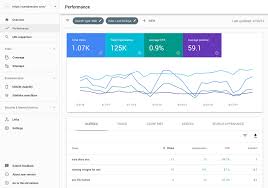
Google Search Console is a free tool that shows how your website performs in Google Search. Its Performance report can provide information about:
- the search queries that bring people to your website
- how often your pages appear in search results
- how many clicks your pages receive
- your average position for queries and pages
The average position is an aggregate figure, not a guaranteed position that every visitor will see. It can still be useful for spotting broad trends, comparing queries and identifying pages that may need attention.
Use a rank-tracking tool
SEO platforms often include keyword rank-tracking features. These let you choose search terms, set a target location and device, and monitor changes over time. Some tools also compare your visibility with that of competitors.
When choosing a tool, check how often it updates its data and whether it can track rankings in the countries or areas that matter to your business. A local company, for instance, may need to track results in specific towns or regions rather than nationally.
Search manually for a quick check
You can enter a search term into a search engine and look for your page in the results. This can give you a quick indication, but it is not a reliable way to measure ranking over time. Search results may be influenced by location, personalisation, device and changes to the results page.
If you do a manual check, use it as a rough observation rather than a definitive report. Avoid repeatedly searching for your own site as a substitute for using analytics or rank-tracking data.
How to check rankings effectively
- Choose relevant search terms. Start with queries your potential customers might use, including terms related to your services, products and location.
- Track the right pages. Match each search term to the page that best answers the searcher’s needs.
- Set a location and device. Results can differ between countries, towns, desktop computers and mobile devices, so choose settings that reflect your audience.
- Record a baseline. Note your current performance before making changes, so you can compare results later.
- Review trends over time. Check rankings regularly, but avoid reacting to every short-term movement. Search results naturally fluctuate.
- Compare rankings with traffic and conversions. A higher position is not valuable on its own if it does not bring relevant visitors or support your business goals.
Why rankings can change
Search positions can rise or fall for many reasons. Search engines update their systems, competitors publish or improve content, and your own website may change. The search results page itself can also change, with features such as maps, shopping listings, videos or featured answers affecting where traditional website listings appear.
Results can also vary according to a searcher’s location and the exact wording of a query. A ranking report should therefore be treated as an indicator of performance, not a fixed or universal position.
What to do if your website is not ranking well
If an important page is not appearing prominently, first check that search engines can access and index it. Then consider whether the page provides a clear, useful answer to the query you are targeting.
- Make the page’s subject clear in its title, headings and main content.
- Provide original, accurate information that meets the needs behind the search.
- Improve the page’s loading speed and usability, particularly on mobile devices.
- Link to the page from relevant sections of your website.
- Check for technical issues that could prevent crawling or indexing.
- Review whether another page on your site is targeting the same topic.
Changes to a page may take time to be reflected in search results. Keep a record of updates and review performance after a reasonable period, rather than making frequent changes based on small ranking movements.
Look beyond position
Website ranking is only one part of search performance. Search Console data can help you understand whether people are seeing and clicking your pages, while website analytics can show what visitors do after they arrive. Together, these measures provide a more rounded view than ranking position alone.
For example, a page may rank well but receive few clicks if its title and description are not compelling or relevant. Another page may rank lower but attract valuable visitors who go on to make an enquiry or purchase. Consider visibility, clicks, engagement and conversions when deciding what to improve.
Make ranking checks part of your SEO routine
Checking your website ranking is most useful when it is part of a consistent process. Track a focused set of relevant search terms, use the same locations and devices for comparisons, and look for longer-term patterns. Combine ranking information with traffic and business outcomes to understand which pages are working and where further improvements could make a difference.
25 Common Questions on Checking Website Ranking in the UK
- How can I check my website ranking in SEO?
- How do I check my website ranking on Google?
- How do you check what keywords a website ranks for?
- How do I check my website page ranking?
- How can I test my website SEO?
- How do I see my website ranking on Google?
- How can I check my page ranking for free?
- How do I check my SEO score?
- Is there a tool to check Google ranking?
- How do I find the keyword ranking?
- How do I check my Google SEO ranking?
- What is my website Google ranking?
- How to check rank online?
- How can I check my website Google ranking?
- How can I check my SEO ranking?
- How can I check the rank of a website for free?
- How do I find out what my website ranks on Google?
- What is the rank of my website in Google?
- What is Google rank checker?
- How do I find my website ranking on Google?
- How do I check my SEO ranking?
- How do I rank my website UK?
- What’s my website rank on Google?
- How do you check a websites Google ranking?
- How do I find my website Google ranking?
How can I check my website ranking in SEO?
To check your website’s SEO ranking, use Google Search Console to see which search queries bring up your pages and review their average positions over time. For more precise tracking, use an SEO rank-tracking tool to monitor selected keywords by location and device. Rankings can vary between searches, so focus on trends and consider clicks, website traffic and conversions as well as position.
How do I check my website ranking on Google?
To check your website’s ranking on Google, use Google Search Console’s Performance report to see which queries bring up your pages and their average positions. For more precise tracking, use an SEO rank-tracking tool and set the location and device that match your audience. Rankings can vary between searches, so review trends over time rather than relying on a single manual search.
How do you check what keywords a website ranks for?
To check what keywords a website ranks for, use Google Search Console’s Performance report to view the search queries that bring people to your site, along with impressions, clicks and average position. SEO tools can also estimate rankings for your own website or competitors, including by location. Remember that rankings vary by searcher, device and location, so use the data to spot trends rather than treating any position as fixed.
How do I check my website page ranking?
To check your website page ranking, use Google Search Console’s Performance report to see which search queries bring up your page and its average position in Google results. For more regular tracking, an SEO rank-tracking tool can monitor selected keywords by location and device. Rankings can vary between searches, so review trends over time rather than relying on a single manual search or position.
How can I test my website SEO?
You can test your website’s SEO by checking whether important pages are indexed in Google Search Console, then reviewing their titles, headings, content and internal links to ensure they are relevant and useful to visitors. Use tools such as Google Search Console to monitor search impressions, clicks and queries, and PageSpeed Insights to assess mobile usability and page speed. An SEO audit tool can also help identify technical issues, broken links and missing metadata. Track results over time, since rankings and search traffic can fluctuate.
How do I see my website ranking on Google?
To see how your website ranks on Google, use Google Search Console’s Performance report to review the search queries your pages appear for and their average positions. For regular, location-specific tracking, you can also use an SEO rank-tracking tool. Searching for your site manually can offer a quick check, but results may vary by location, device and personalisation, so Search Console or a tracking tool gives a more consistent picture.
How can I check my page ranking for free?
You can check your page ranking for free using Google Search Console. Once your website is verified, open the Performance report to see the search queries your pages appear for, their clicks, impressions and average position; use the filters to focus on a specific page, query or date range. Bear in mind that average positions can vary by location, device and search, so treat them as a guide and look at trends over time.
How do I check my SEO score?
There is no single, universal SEO score, so the figure can vary between tools. To check yours, run your website through an SEO audit tool, which may assess factors such as page titles, mobile usability, site speed, links and technical issues. Use Google Search Console to review search performance and indexing, then prioritise the recommendations that are relevant to your goals rather than focusing on the score alone.
Is there a tool to check Google ranking?
Yes. Google Search Console is a free tool that shows how your website performs in Google Search, including the queries that bring visitors to your pages and their average position. For more detailed tracking of specific keywords, locations and devices, you can also use an SEO rank-tracking tool. Bear in mind that rankings can vary, so it’s best to monitor trends over time rather than rely on a single check.
How do I find the keyword ranking?
To find your keyword ranking, use Google Search Console’s Performance report to see the queries your website appears for and each query’s average position in Google results. For more precise ongoing tracking, use an SEO rank-tracking tool and set the relevant location and device, as rankings can vary between areas and desktop and mobile searches.
How do I check my Google SEO ranking?
To check your Google SEO ranking, use Google Search Console’s Performance report to see the search queries your pages appear for, their clicks, impressions and average position. For more specific tracking, use an SEO rank-tracking tool and set the location and device relevant to your audience. Rankings can vary between searches, so focus on trends over time rather than relying on a single manual search or position.
What is my website Google ranking?
Your website does not have one single Google ranking: each page can appear in a different position for different search terms, locations and devices. To check how your site performs, use Google Search Console’s Performance report to see the queries that bring up your pages and their average positions. Bear in mind that these are averages, and individual search results can vary.
How to check rank online?
To check your website’s rank online, use Google Search Console to see the queries your pages appear for and their average positions in Google results. For more detailed tracking, use an SEO rank-checking tool: enter your website and target keywords, then select the relevant country, location and device. Rankings can vary between searchers and change over time, so check them regularly and compare trends rather than relying on a single search.
How can I check my website Google ranking?
You can check your website’s Google ranking using Google Search Console. Open the Performance report to see the search queries your pages appear for, along with clicks, impressions and average position. For more specific tracking, use an SEO rank-tracking tool and set the target location and device, as results can vary. Bear in mind that rankings fluctuate, so review trends over time rather than relying on a single search.
How can I check my SEO ranking?
You can check your SEO ranking using Google Search Console, which shows the search queries your pages appear for and their average position in Google results. For more detailed tracking, use an SEO rank-tracking tool to monitor selected keywords by location and device over time. Rankings can vary, so review trends alongside clicks, website traffic and conversions rather than relying on a single search or position.
How can I check the rank of a website for free?
You can check a website’s rankings for free using Google Search Console, which shows the search queries your pages appear for, their impressions, clicks and average position. If you manage the website, verify it in Search Console and open the Performance report to review the data. You can also search for a keyword manually, but results may vary by location, device and personalisation, so this is only a rough check. Some SEO tools offer free, limited rank checks as well.
How do I find out what my website ranks on Google?
To find out how your website ranks on Google, use Google Search Console’s Performance report to see the search queries your pages appear for, their clicks and impressions, and their average position. For more detailed tracking, an SEO rank-tracking tool can monitor selected keywords by location and device. Keep in mind that Google results can vary between people and places, so treat rankings as a guide and look at trends over time rather than relying on a single search.
What is the rank of my website in Google?
Your website does not have one fixed ranking on Google: its position varies depending on the search term, the searcher’s location and device, and other factors. To check how your site performs for specific searches, use Google Search Console’s Performance report, which shows queries, clicks, impressions and average position. For a more precise comparison, use a rank-tracking tool and specify the keywords and location you want to monitor.
What is Google rank checker?
A Google rank checker is a tool that estimates where a website or webpage appears in Google search results for selected keywords. Many tools let you check rankings for a particular location or device and track changes over time. Results can vary between users and searches, so use a rank checker to spot trends rather than treat any single position as fixed.
How do I find my website ranking on Google?
To find your website’s ranking on Google, use the Performance report in Google Search Console. It shows the search queries your pages appear for, their clicks, impressions and average position. For a more specific check, use a keyword-tracking tool and set the location and device that matter to your audience. Searching Google yourself can offer a quick indication, but results may vary by location, device and personalisation, so it is not a reliable way to track rankings over time.
How do I check my SEO ranking?
To check your SEO ranking, use Google Search Console’s Performance report to see which search queries bring up your pages and their average positions. You can also use an SEO rank-tracking tool to monitor selected keywords by location and device. Check rankings regularly and compare trends over time, as results can vary between searches; consider clicks, website traffic and conversions as well as position.
How do I rank my website UK?
To improve your website’s ranking in the UK, create useful, original content around the search terms your UK audience uses, and make sure each page clearly meets their needs. Ensure your site is fast, mobile-friendly and easy for search engines to crawl, and use relevant UK locations or contact details where local searches matter. Earn links from reputable, relevant websites, then monitor impressions, clicks and average positions in Google Search Console. Rankings take time and can vary, so focus on steady improvements rather than quick fixes.
What’s my website rank on Google?
Your website doesn’t have one fixed position on Google: its ranking can vary depending on the search term, the searcher’s location and device, and other factors. To check how your site appears, use Google Search Console to review the queries bringing impressions and clicks, along with their average positions. For more precise tracking, use an SEO tool to monitor selected keywords in your target locations over time.
How do you check a websites Google ranking?
To check a website’s Google ranking, use Google Search Console’s Performance report to see the queries your pages appear for, along with clicks, impressions and average position. For more precise tracking, use an SEO tool to monitor selected keywords by location and device. Searching Google manually can offer a quick check, but results may vary depending on your location and other factors, so it’s best to track rankings consistently over time.
How do I find my website Google ranking?
To find your website’s Google ranking, use the Performance report in Google Search Console. Select a date range and review the “Average position” data to see how your pages perform for different search queries; you can filter by page or query for more detail. As rankings vary by location, device and search, treat average position as a guide rather than a fixed result. For more precise tracking, use a keyword rank-tracking tool set to your target location and device.