Site Analyzer Online: A Practical Guide to Understanding Your Website
A site analyzer online is a web-based tool that checks a website and reports on areas such as search engine optimisation (SEO), page speed, mobile usability and technical health. Rather than installing specialist software, you can usually enter a web address and receive an initial report in your browser.
For website owners, developers and marketing teams, these tools can make it easier to spot issues that may affect visitors or limit a site’s visibility in search results. The findings can help you decide what to investigate and improve next.
What can an online site analyser check?
Features vary between tools, but a typical analysis may cover several parts of a website:
- SEO basics: page titles, meta descriptions, headings, image descriptions and links.
- Technical setup: broken links, redirects, crawlability and whether a sitemap or robots.txt file is available.
- Performance: loading times, page size and factors that may slow down a page.
- Mobile usability: whether pages appear to work well on smaller screens.
- Accessibility: common issues that could make content harder for some people to use.
- Security signals: for example, whether a page uses HTTPS and has a valid certificate.
Not every tool checks all of these areas, and automated reports cannot always understand the context behind a result. Treat them as useful guidance rather than a complete assessment.
Why use a site analyzer online?
An online analyser can provide a quick overview of a website without requiring extensive technical knowledge. It may highlight straightforward fixes, such as missing page titles or broken links, and help teams compare pages or monitor changes over time.
It can also support better conversations between business owners, marketers and developers. A clear report gives everyone a shared starting point for prioritising improvements, rather than relying on guesswork.
How to use an online site analyser
- Choose a page or website. Start with your homepage or a page that is important to your business.
- Enter the web address. Follow the tool’s instructions and wait for it to complete its checks.
- Review the report. Look at the explanation for each finding, not just any overall score.
- Prioritise the issues. Address problems that affect users or prevent search engines from accessing important content.
- Make changes and check again. Re-running the analysis can help you see whether a fix has worked.
For a more representative picture, check several key pages rather than relying on one homepage scan. Product pages, service pages, articles and contact pages may each have different issues.
Making sense of the results
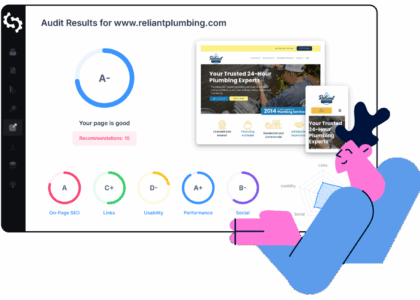
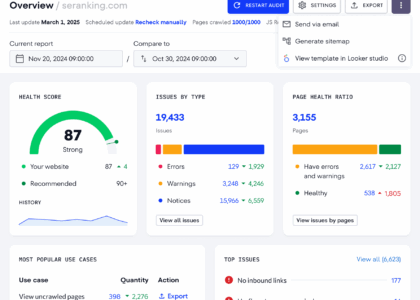
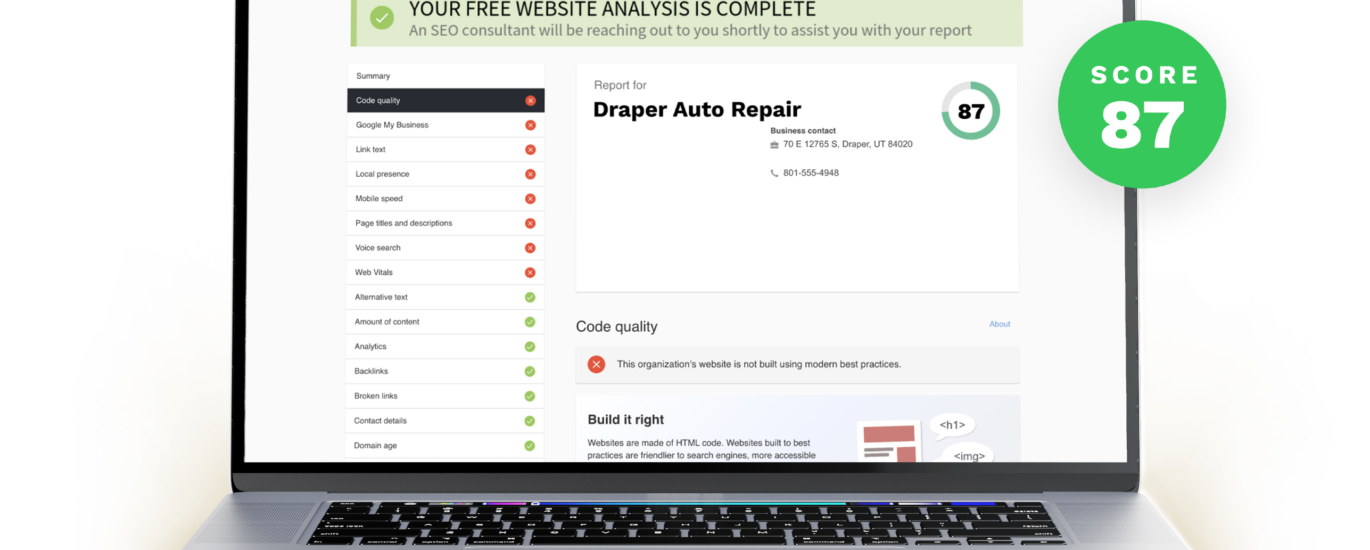
Reports often use scores, warnings or colour-coded labels to make results easier to scan. These are helpful summaries, but they are not rankings of a website’s overall quality. A lower score does not necessarily mean a site is performing poorly, and a high score does not guarantee strong search visibility or a good user experience.
Prioritise findings according to their likely impact. For example, a page that cannot be accessed is more urgent than a minor recommendation about wording. Consider whether a suggested change is relevant to your site before applying it, and test important changes carefully.
Limitations and privacy considerations
Automated tools can only assess what they are designed to check. They may miss issues that require human judgement, such as whether content is genuinely useful, whether navigation is easy to understand, or whether a website meets a particular organisation’s needs.
Some online services request a URL, while others may ask for additional information or access to analytics and search data. Before connecting an account or submitting sensitive details, read the provider’s privacy policy and check how your information will be used. Avoid entering passwords or confidential business data into a tool unless you have verified that it is trustworthy and that the access is necessary.
Choosing the right tool
When comparing site analysers, consider what you want to learn. A small business may need a straightforward overview of SEO and technical errors, while a developer may prefer detailed crawl information and performance diagnostics. Look for clear explanations, transparent limitations and reports that help you take practical next steps.
It is often useful to combine an online site analysis with other forms of testing. Real-user performance data, accessibility checks and feedback from visitors can reveal issues that a quick automated scan may not detect.
Conclusion
A site analyzer online can be a convenient first step towards understanding how a website is working. It can uncover common technical, SEO and usability issues, helping you make informed improvements. For the best results, use the report as a guide, focus on changes that benefit visitors, and verify important findings before acting on them.
9 Essential Tips for Using an Online Site Analyser Effectively
- Choose a reputable online site analyser.
- Check page speed on desktop and mobile.
- Review SEO titles and meta descriptions.
- Test links for errors and redirects.
- Check mobile usability and responsive design.
- Review accessibility issues and contrast.
- Scan for security and HTTPS problems.
- Compare results across multiple tools.
- Retest after making changes.
Choose a reputable online site analyser.
Choose a reputable online site analyser with clear information about its features, limitations and privacy practices. Check independent reviews and make sure the tool explains its findings rather than relying solely on a headline score. Before sharing website details or connecting accounts, review how the provider handles your data and only grant the access the analysis requires.
Check page speed on desktop and mobile.
Check page speed on both desktop and mobile, as visitors may have very different experiences depending on their device and connection. A site analyser online can highlight slow-loading pages and identify potential causes, such as large images or scripts. Use the results to prioritise improvements, then test again to see whether the changes have made your website faster and easier to use.
Review SEO titles and meta descriptions.
Review your SEO titles and meta descriptions to make sure each page has a clear, accurate summary of its content. Titles should be distinctive and concise, while meta descriptions should explain what visitors can expect and give them a reason to click. An online site analyser can flag missing, duplicated or overly long entries, helping you prioritise updates. Treat its suggestions as a guide: write naturally for people, use relevant search terms where appropriate, and avoid promising content the page does not deliver.
Test links for errors and redirects.
Use an online site analyser to check your links for errors and redirects. Broken links can frustrate visitors and make it harder for search engines to discover your content, while unnecessary redirect chains may slow page loading. Review any flagged URLs, update links that point to the wrong page, and make sure redirects lead directly to the most relevant destination.
Check mobile usability and responsive design.
Check mobile usability and responsive design to make sure your website works well on phones and tablets as well as desktop computers. An online site analyser can flag issues such as text that is difficult to read, buttons that are too small to tap, content that extends beyond the screen or pages that load slowly on mobile. Review these findings on real devices too, as a responsive, easy-to-use site helps visitors find what they need wherever they are browsing.
Review accessibility issues and contrast.
Review accessibility issues and colour contrast to make your website easier for everyone to use. Check that text stands out clearly against its background, links and buttons are easy to identify, and images have suitable alternative text. An online site analyser can flag common problems, but automated checks may not catch everything, so test key pages manually and consider feedback from people who use assistive technologies.
Scan for security and HTTPS problems.
Use an online site analyser to check for security issues, including pages that still load over HTTP instead of HTTPS, an expired or invalid SSL/TLS certificate, and insecure links or resources. HTTPS helps protect information exchanged between your website and its visitors, so investigate any warnings promptly. After making changes, run the scan again to confirm the issues have been resolved.
Compare results across multiple tools.
Compare results across multiple site analysis tools to build a more balanced picture of your website’s performance. Each tool checks different factors and may use its own methods, so one report might flag an issue that another overlooks. Look for recurring findings, prioritise problems that affect visitors or search engines, and investigate conflicting recommendations before making changes.
Retest after making changes.
Retest after making changes. Once you have fixed an issue on your website, run the site analyser again to check that the change has worked and hasn’t caused new problems elsewhere. Comparing the updated results with your original report can also help you track progress and decide what to tackle next.