Site SEO Checker Online: How to Audit Your Website
A site SEO checker online can help you spot issues that may be affecting your website’s visibility in search engines. These tools scan pages and report on areas such as titles, meta descriptions, broken links, page speed and mobile usability. Used well, an SEO checker gives you a practical starting point for improving your site—not a guarantee of higher rankings.
What Is an Online Site SEO Checker?
An online site SEO checker is a web-based tool that analyses a website or individual page against a range of search engine optimisation criteria. Some tools provide a quick page review, while others crawl multiple URLs and produce a more detailed technical audit.
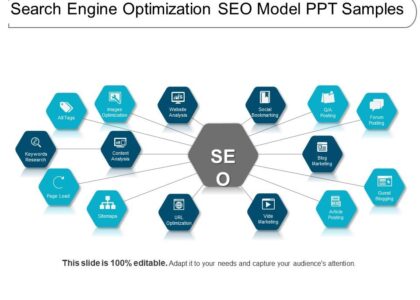
Depending on the tool, a report may cover:
- Page titles and meta descriptions
- Headings and on-page content
- Broken links and redirects
- Image alt text and file sizes
- Mobile-friendliness and page performance
- HTTPS, indexing and crawlability
- Structured data and canonical tags
- Internal links and basic backlink information
Why Use an SEO Checker?
It can be difficult to identify technical or on-page problems by looking at a website manually. A checker can bring potential issues together in one report, helping you decide what to investigate first. This can be particularly useful when launching a new website, reviewing an existing site or checking the results of a redesign.
For example, an audit might flag missing page titles, pages that load slowly on mobile devices or links that lead to error pages. Fixing these issues can make a site easier to use and easier for search engines to understand.
How to Check Your Website
- Choose a suitable tool. Check whether it reviews one page or can crawl your whole website. Some features may require an account or paid subscription.
- Enter your website address. Use the correct version of your domain, including HTTPS where applicable.
- Review the findings. Look beyond the overall score and read the explanation for each flagged item.
- Prioritise important fixes. Start with problems that affect many pages, prevent crawling or make key pages difficult to use.
- Make changes and check again. Re-run the audit after updates to confirm that the issue has been resolved.
How to Interpret the Results
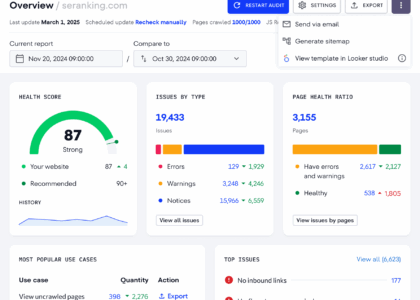
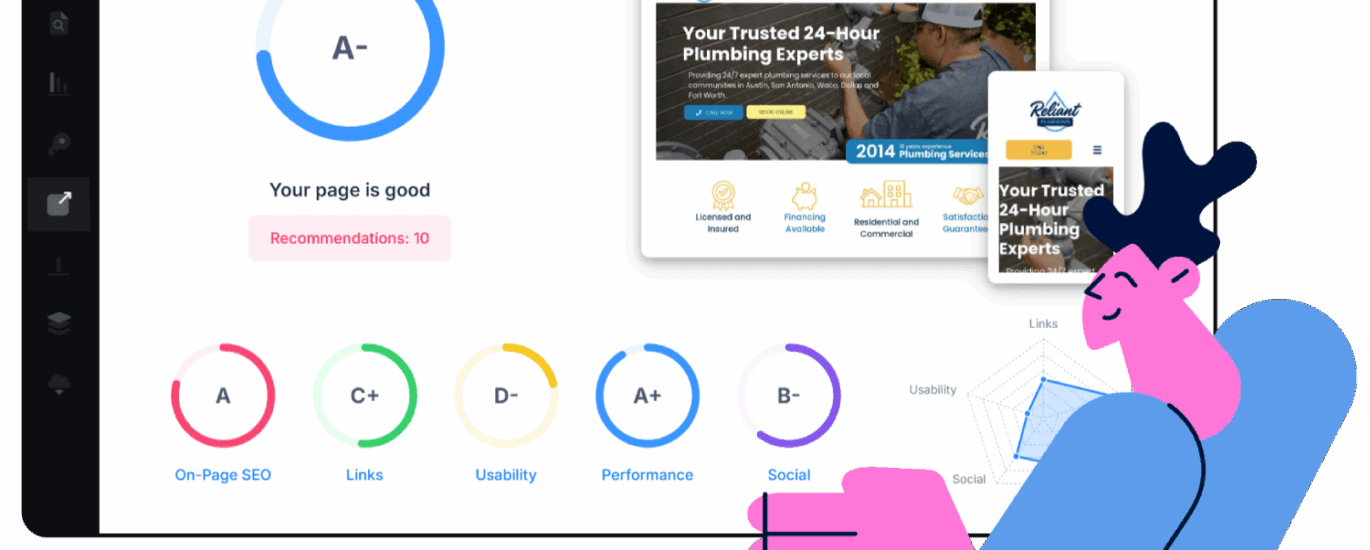
SEO checkers often use scores, labels or colour-coded warnings to summarise their findings. These can be helpful, but they are not search engine rankings. A high score does not guarantee that a page will appear prominently in search results, and a lower score does not necessarily mean that the page is performing poorly.
Use the report as a diagnostic guide. Check whether each recommendation applies to your website and whether the suggested change supports your visitors’ needs. For instance, adding keywords unnaturally to a page just to satisfy a tool could make the content less useful.
Common Website SEO Issues to Look For
Missing or duplicated page titles
Page titles help describe the content of a page to users and search engines. Each important page should have a clear, relevant title. Avoid using the same title across many unrelated pages.
Weak meta descriptions
Meta descriptions may be used as snippets in search results. They should accurately summarise the page and give people a reason to visit, without promising something the content does not deliver.
Broken links and unnecessary redirects
Broken links can frustrate visitors and make it harder to navigate a site. Review them and update, remove or redirect links where appropriate. Redirects should lead users to the most relevant available page.
Slow or difficult mobile experiences
Visitors may leave if a page takes too long to load or is awkward to use on a phone. Check performance on mobile as well as desktop, and look for large images, unnecessary scripts or layout problems.
Content that is difficult to understand
Clear headings, useful explanations and logical page structure help people find information. An SEO checker can identify some structural issues, but it cannot reliably judge whether your content answers visitors’ questions. Read important pages from the perspective of your intended audience.
What an Online SEO Checker Cannot Do
An automated checker cannot fully understand your business, your customers or the quality of your content. It may also miss issues that require access to analytics, server logs or search engine data. Recommendations can vary between tools, so avoid treating every warning as an instruction.
For a fuller picture, combine an SEO audit with performance data, customer feedback and a manual review of key pages. Check that your website is accessible, accurate and genuinely helpful, not just technically tidy.
Choosing a Site SEO Checker Online
Before using a tool, consider what you need to find out. A quick checker may be enough for a single landing page, while a larger website may need a crawler that can examine many URLs. Look for clear explanations, up-to-date checks and the option to focus on the issues that matter to your site.
Also review how the tool handles your data, what its free version includes and whether it presents recommendations in a way you can act on. If a report is unclear, verify important findings with other reliable sources before making significant changes.
Make SEO Checks Part of Your Routine
A site SEO checker online is most useful when it forms part of regular website maintenance. Schedule occasional audits, and run additional checks after major updates, migrations or redesigns. Keep a record of changes so you can see what has been fixed and monitor how the site performs over time.
Ultimately, an SEO checker is a starting point—not a substitute for sound judgement. Use it to uncover potential problems, prioritise practical improvements and create a better experience for the people who visit your website.
Essential Tips for Using an Online SEO Checker to Optimise Your Website
- Choose a checker that scans your whole site.
- Check title tags and meta descriptions.
- Review mobile usability and page speed.
- Fix broken links and crawl errors.
- Check image alt text and file sizes.
- Review headings and keyword use.
- Compare results with trusted SEO tools.
- Recheck your site after making changes.
Choose a checker that scans your whole site.
Choose a site SEO checker online that can scan your whole website, rather than just a single page. A site-wide audit can reveal issues across multiple URLs, such as broken links, duplicate titles, missing meta descriptions and pages that search engines may struggle to crawl. This gives you a clearer picture of your site’s overall health and helps you prioritise fixes that could improve the experience for visitors as well as your SEO.
Check title tags and meta descriptions.
Check your title tags and meta descriptions to make sure each important page has a clear, unique summary of its content. A site SEO checker online can flag missing or duplicated tags, but review its suggestions to ensure they accurately reflect the page and use relevant keywords naturally. Well-written titles and descriptions can help people understand your page in search results and decide whether to visit.
Review mobile usability and page speed.
Review mobile usability and page speed to make sure your website works smoothly for visitors on phones and tablets. Check that text is easy to read, buttons are simple to tap and pages load quickly on mobile connections. An online site SEO checker can highlight performance or usability issues, such as oversized images or layout problems, so you can prioritise improvements that make your site faster and easier to use.
Fix broken links and crawl errors.
Use an online site SEO checker to identify broken links and crawl errors that may stop visitors or search engines from reaching important pages. Review each issue and fix it by updating the link, restoring the missing page or setting up a relevant redirect. Check the affected pages again afterwards to make sure they can be accessed and crawled properly.
Check image alt text and file sizes.
Check image alt text and file sizes when reviewing your website with an online SEO checker. Descriptive alt text helps explain an image to people using screen readers and can help search engines understand its context. Keep it accurate and concise, and avoid forcing in keywords. Large image files can slow pages down, especially on mobile, so compress them and use appropriately sized formats without noticeably reducing quality.
Review headings and keyword use.
Review your headings and keyword use to make sure each page is clear, relevant and easy to scan. An online site SEO checker can flag missing or poorly structured headings, but use your judgement when making changes: organise headings in a logical order and include relevant search terms naturally. Avoid repeating keywords just to improve a score, as clear, helpful content is more valuable to visitors.
Compare results with trusted SEO tools.
Compare results from an online site SEO checker with data from trusted SEO tools, such as Google Search Console and analytics platforms. Different tools use different methods and may flag different issues, so a single report should not be treated as definitive. Checking findings across multiple sources can help you confirm which problems are real, prioritise fixes and build a more accurate picture of your website’s SEO performance.
Recheck your site after making changes.
After making changes to your website, run your site SEO checker online again to confirm that the issues have been fixed and to spot any new ones. Check the updated pages carefully, as changes to titles, links or site structure can have wider effects. Regular rechecks help you keep your website healthy and ensure your improvements are working as intended.