Free Site SEO Audit: Find Out What’s Holding Your Website Back
A website can look polished and still struggle to attract visitors from search engines. Slow pages, broken links, missing page titles and confusing navigation can all make it harder for people to find and use your site. A free site SEO audit can help you spot these issues and decide what to tackle first.
What is a site SEO audit?
A site SEO audit is a review of the factors that affect your website’s visibility in search results and the experience it provides to visitors. Depending on the audit, it may check technical health, on-page content, mobile usability, page speed and links.
A free audit is often an automated first check. It can highlight common problems quickly, but it may not assess your business goals, understand your audience or provide a complete strategy. Treat the results as a useful starting point rather than a definitive verdict.
What can a free SEO audit check?
- Technical SEO: Whether pages can be crawled and indexed, and whether your sitemap and robots.txt file appear to be set up appropriately.
- On-page SEO: Page titles, meta descriptions, headings, image alt text and whether important pages have clear, relevant content.
- Mobile usability: Whether pages are easy to read and navigate on smaller screens.
- Performance: Possible speed and loading issues that could affect user experience.
- Links: Broken internal links, missing destinations and, in some tools, information about external links.
- Security: Whether the site uses HTTPS and has other visible security concerns.
Why run a free site SEO audit?
An audit can give you a clearer picture of your website’s current condition. It may uncover small fixes that have been overlooked, such as duplicate page titles or links that lead nowhere. It can also help you build a prioritised list of improvements instead of making changes at random.
For a new website, an audit can help identify setup issues early. For an established site, regular checks can reveal problems introduced during redesigns, content updates or changes to the site’s structure.
How to carry out a basic SEO audit
- Choose a reputable audit tool. Check what the tool analyses, whether it requires access to your site and how it handles your data. Never share passwords unnecessarily.
- Enter your website address. Some tools assess a single page, while others crawl multiple pages. Make sure you understand the scope of the report.
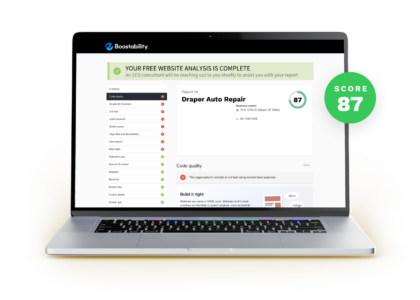
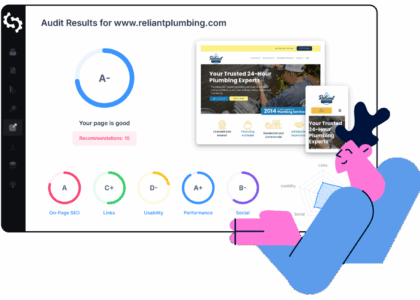
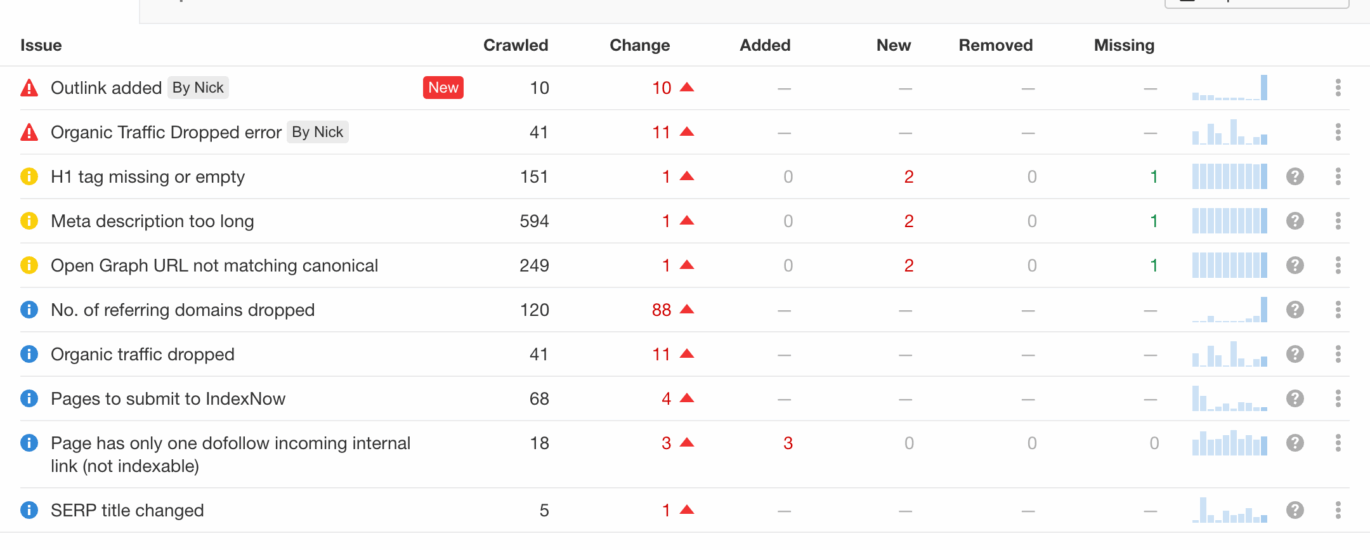
- Review the findings. Look for specific issues and the pages they affect. A score on its own does not explain what needs fixing.
- Check important pages manually. Review your homepage, key service or product pages, and pages that bring in enquiries or sales.
- Prioritise changes. Start with issues that prevent important pages from being accessed, understood or used. Then address content and usability improvements.
- Recheck after making changes. Run another audit and use analytics or search performance data to see whether the updates have helped.
Which issues should you fix first?
Not every warning deserves the same level of attention. A sensible order is to check that important pages can be crawled and indexed, fix broken links and redirect problems, and ensure each key page has a clear purpose and useful content. Then review mobile usability, loading performance and on-page details such as titles and headings.
Automated tools can flag issues that are not necessarily problems for every website. For example, a recommendation to add more words does not guarantee that a page will rank better. Focus on whether the content answers visitors’ questions and supports the purpose of the page.
Free audits: useful, but not the whole picture
A free site SEO audit can identify common technical and on-page issues, but it may have limits. It might review only a small number of pages, provide generic recommendations or miss context that requires human judgement. It may also use estimates rather than data from your own analytics and search accounts.
For a more complete view, combine an audit with tools such as Google Search Console and your website analytics platform. These can help you understand which pages appear in search, what queries bring visitors to your site and how people use those pages.
Make your audit part of ongoing website care
SEO is not a one-off task. Websites change as you publish content, update services and improve your design. Scheduling regular checks can help you catch new issues before they affect visitors or visibility. Keep a record of the changes you make, so you can assess what has improved and where further work may be needed.
A free SEO audit is a practical first step towards a healthier website. Use its findings to ask better questions, prioritise meaningful improvements and create a more useful experience for both visitors and search engines.
9 Essential Tips for a Free SEO Audit of Your Website
- Check your site is indexed by Google.
- Review page titles and meta descriptions.
- Test pages on mobile devices.
- Check loading speed with a free tool.
- Find broken links and fix them.
- Use clear, descriptive headings.
- Review image alt text.
- Check for duplicate content.
- Track key keywords and rankings.
Check your site is indexed by Google.
Check whether Google has indexed your website so its pages can appear in search results. A quick first check is to search Google for site:yourdomain.co.uk, replacing the example with your own domain. This gives you an indication of which pages Google knows about, although it is not a complete or definitive count. For a more reliable view, verify your site in Google Search Console and review the Page Indexing report. If important pages are missing, check for accidental noindex tags, crawl blocks in your robots.txt file, or other issues preventing Google from accessing them.
Review page titles and meta descriptions.
Review the page titles and meta descriptions highlighted in your free site SEO audit. Each important page should have a unique, descriptive title that clearly reflects its content, while the meta description should briefly explain what visitors will find. Clear, relevant wording can help search engines understand your pages and encourage people to click through from search results. Avoid duplicate descriptions, keyword stuffing and promises the page does not deliver.
Test pages on mobile devices.
Test your key pages on mobile devices to make sure they’re easy to read and use on a smaller screen. Check that text is legible, buttons and links are simple to tap, images fit the screen and menus work properly. A free SEO audit may flag mobile usability issues, but testing the site yourself can reveal practical problems automated tools miss.
Check loading speed with a free tool.
Check your website’s loading speed with a free tool such as Google PageSpeed Insights. It can show how quickly key pages load on mobile and desktop, and highlight issues that may be slowing them down. Test your most important pages, then prioritise practical improvements—such as compressing large images or reducing unnecessary scripts. Recheck after making changes to see whether performance has improved.
Find broken links and fix them.
Check your website for broken links that lead to missing pages or error messages, as these can frustrate visitors and make it harder for search engines to crawl your site. A free site SEO audit can help identify broken internal and external links. Once you find them, update the URL, remove the link or add a suitable redirect if the page has moved. Review key pages regularly to catch new broken links before they affect the user experience.
Use clear, descriptive headings.
Use clear, descriptive headings to organise your website content and make it easier for visitors to scan. Headings should accurately describe the section that follows, with a logical structure from the main page heading to subheadings. During a free site SEO audit, check that headings are relevant, easy to understand and not used simply to repeat keywords. A clear heading structure helps people find the information they need and gives search engines useful context about your page.
Review image alt text.
Review image alt text. Check that important images have concise, descriptive alt text that explains their content or purpose. This helps people using screen readers understand the images and gives search engines useful context. Keep descriptions natural and relevant, avoid keyword stuffing, and use empty alt text for purely decorative images so assistive technology can skip them.
Check for duplicate content.
Check your site for duplicate content: pages with the same or very similar text can make it harder for search engines to understand which version to show in results. A free SEO audit may flag repeated titles, descriptions or page copy, but review the pages yourself before making changes. Where duplicates are intentional, consider using canonical tags or redirects; otherwise, make each page distinct and useful to visitors.
Track key keywords and rankings.
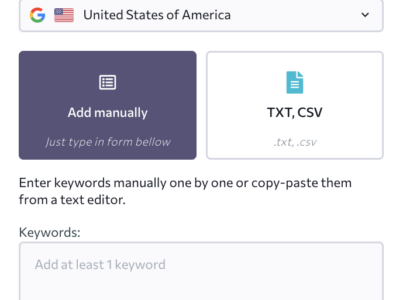
Track the keywords that matter most to your business and monitor how your pages rank for them over time. A free site SEO audit can help identify whether important pages are targeting relevant search terms, while tools such as Google Search Console show which queries bring impressions and clicks. Rankings can fluctuate, so look for longer-term trends rather than reacting to every small change. Use what you learn to improve pages so they answer searchers’ needs clearly and accurately.